
PSEG
PSEGBusiness
3.6789.00 Reviews
- Version
- 66497
- Installs
- 100.00K
- Age Rating
- Everyone
Screenshots
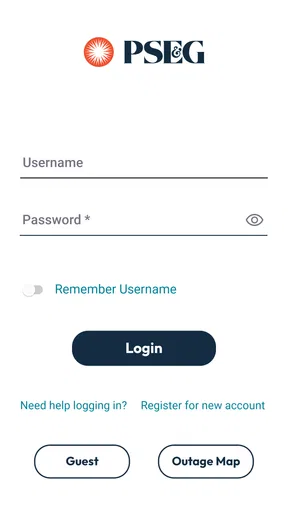
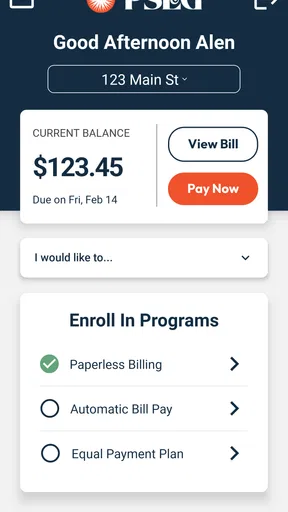
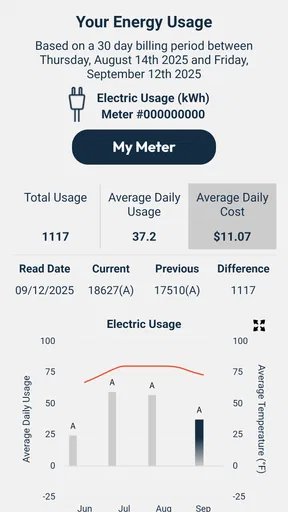
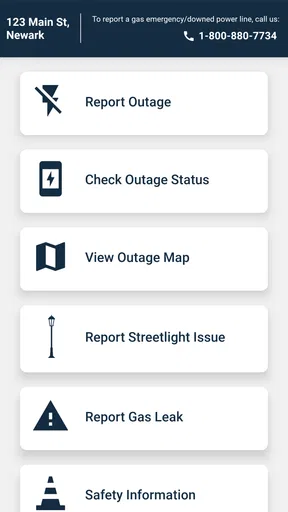
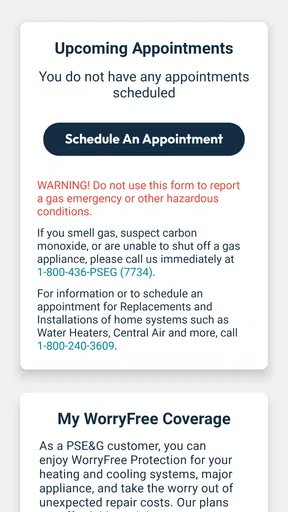
Our Review of PSEG
 Analysis by Appyee
I use utility apps differently from entertainment apps: I want to open them, finish a necessary task, and leave without having to think too much about the interface. That is the standard I applied to PSEG, the free business app from PSEG for managing a PSE&G account while away from a computer. It is aimed at customers who want account access in a more convenient format than a desktop browser, rather than at people looking for a broad household-management platform.
My overall impression is practical rather than enthusiastic. The app makes sense when I need to check account information or handle routine service-related tasks from a phone, especially when I am away from home. At the same time, its value depends heavily on how often I manage my PSE&G account and whether I prefer a dedicated app over the familiar mobile website. I would recommend trying it to an existing customer, but I would not install it simply because it belongs to the business category.
How the current PSEG experience fits everyday account management
The strongest reason to keep this app installed is convenience. A utility account is rarely something I want to manage for long periods. Usually, I am checking a balance, reviewing an account detail, handling a payment-related task, or looking for information connected with service. Having those actions gathered under a PSE&G-branded app can remove the extra steps of opening a browser, searching for the correct page, and signing in through a general web session.
A realistic example is receiving a reminder while commuting or during a lunch break. I can open the app, sign in, check the account information, and deal with the task before it becomes something I have to remember later. That small reduction in friction is more important here than visual polish. The app does not need to entertain me; it needs to help me avoid postponing an ordinary household responsibility.
The audience is fairly specific. This is for PSE&G customers who already have an account and want mobile access. It is less useful for someone who only needs to contact the company once, for a person who manages several unrelated utility providers, or for a household member who does not have the credentials needed to access the account. In those cases, a browser or direct customer-service route may be simpler than adding another app.
PSEG has been available since November 22, 2019, and its current version is listed as 66497. That combination suggests a product that has continued through multiple maintenance cycles rather than remaining a one-time launch experiment. I see that as a positive sign for an account-management tool, although a version number by itself does not tell me how much of the interface has changed or which parts were improved.
The app requires Android 10 or later, so compatibility matters before installation. On a supported phone, the free price makes testing straightforward: I do not have to commit financially to find out whether its workflow suits me. Its Everyone age rating also matches the ordinary nature of the service, since the app is designed around household or customer account tasks rather than age-sensitive entertainment.
What I found useful in the mobile format
The dedicated format is most helpful when I already know what I need to do. A mobile account tool should let me move from sign-in to the relevant account area without the distractions that can appear in a browser. For me, that makes it better suited to quick checks than to extended research. If I want to understand a complicated service issue, compare several pieces of information, or keep multiple tabs open, a larger screen remains more comfortable.
Another practical advantage is habit. Once an app has a familiar place on my phone, I am more likely to use it during the short gaps when I would otherwise postpone an account task. That can be useful for people who handle bills between other responsibilities. The benefit is not a special feature I would show off; it is the simple fact that the account is available in the same environment where I already manage other daily tasks.
I also appreciate the distinction between account access and general web searching. Searching for PSE&G can lead to several pages, while the app gives me a direct starting point associated with the service. That does not make every task faster, but it reduces the chance of beginning in the wrong place. For an occasional user, that clarity may be more valuable than a long list of advanced tools.
Where the app can feel less convenient
The main trade-off is that a dedicated utility app creates another sign-in destination to maintain. If I already use the PSE&G website comfortably, opening a browser may be just as quick, particularly on a desktop or tablet. A browser also avoids using storage for an app and can be preferable for people who rarely interact with their account.
Phone-based account work has other limits. Reading detailed information on a smaller display can require more scrolling, and typing account details on a phone is not ideal when I am trying to resolve a complicated issue. I would choose the app for a short, familiar workflow, but I would move to a larger screen if the task involved careful comparison, extensive form entry, or information I wanted to save for later.
There is also a difference between managing an account and solving a service problem. An account app can be convenient for routine access, but it should not be my only plan when I need urgent help, have a disputed charge, or face a situation that requires detailed conversation. In those cases, the appropriate customer-support channel may be more effective. I would not judge the app harshly for that distinction, but I would keep my expectations realistic.
What the version history means for existing customers
The current version number shows that PSEG has evolved beyond its original release. That matters because account apps need ongoing attention: login flows, service information, device compatibility, and security-related behavior all have to keep working as mobile platforms change. The fact that the app remains available for supported Android devices gives existing users a reason to check that their phone meets the requirement before assuming an installation problem is caused by the app itself.
Still, I would separate confirmed product facts from expectations. The release date and current version establish the app’s timeline, but they do not prove that every recent update introduced a particular feature or redesigned a particular screen. I would therefore treat the current build as an ongoing version of the PSE&G account experience, not as evidence of a specific list of changes.
For someone who has used the app for years, the practical question is whether the current workflow still feels dependable. If familiar account actions remain easy to locate, updating should be relatively painless. If the interface has changed between visits, I would spend a moment checking the main navigation before attempting an urgent task. That is a useful habit with any service app: do not wait until a deadline to discover that a commonly used option has moved.
New users should approach the current version with the same expectation. It is an access point for PSE&G account management, not a replacement for every interaction a customer may need. I would install it, sign in when convenient, and explore the main account areas before relying on it for a time-sensitive task. That first low-pressure visit can reveal whether the app fits my account and whether I prefer it to the mobile site.
The app’s public reception is mixed but substantial, with an average rating of 3.6 from around 2,400 ratings and close to 800 written reviews. I read that as a reason to keep expectations balanced. There is enough user activity to suggest that the app is being used in the real world, but the rating does not support calling it flawless. In my view, that matches the nature of utility software: a small login or navigation annoyance can matter a lot when the only reason I opened the app was to finish one specific task.
Its reach is also meaningful, with over 100,000 installs. That does not guarantee that it will work perfectly for every customer, because account situations and phones vary. It does indicate that this is an established PSE&G access option rather than an obscure experiment. I would use that as reassurance that the app is worth evaluating, not as a substitute for my own experience with the current build.
Small workflow choices that make a difference
My first tip is to use the app for a predictable task before treating it as the center of my utility management. For example, I might open it when I have time to review the account area without pressure. If the sign-in and navigation feel clear, I can then make it part of my routine. This is better than installing it during an urgent situation and discovering that I still prefer the browser.
My second tip is to decide in advance which device is best for each kind of work. The phone is convenient for a quick account check while I am away from home. A computer is usually better for reading long explanations, comparing information, or entering a large amount of text. That division prevents me from blaming the app for a limitation that really comes from the small-screen format.
My third tip is to keep the app as a shortcut, not as my only record of important account activity. If a task affects my household planning, I would note the relevant information in whatever system I already use for reminders and budgeting. An account-management app is useful for access, but it should not replace my own organization. This is particularly helpful when more than one person in a household needs to know what was handled.
A fourth useful distinction is between checking information and interpreting it. The app can be the convenient place to reach account details, while a larger screen or a support conversation may be better when something looks unfamiliar. I would avoid making a rushed assumption based on a quick glance at a phone screen. That approach makes the app part of a sensible workflow rather than expecting it to answer every question by itself.
How PSEG compares with the usual alternatives
The most obvious alternative is the PSE&G mobile website. For an occasional customer, the website may win because it requires no dedicated installation and can be opened from any compatible browser. It is also more natural when I am already working on a computer. The app wins when I want a direct, repeatable route from my phone and do not want to search for the correct customer page each time.
A second alternative is handling everything through customer support. That makes sense when the issue is unusual, urgent, or too complicated for a quick account workflow. It is less efficient for routine checks because it introduces another step and may require waiting. I see the app and support as complementary rather than competing choices: the app is for self-service access, while support is better when the situation needs explanation or intervention.
General budgeting apps are another imperfect comparison. They may help me track household spending across providers, but they are not a substitute for reaching the PSE&G account itself. A budgeting tool can provide a broader financial view, while PSEG is more directly tied to the customer relationship. Someone who wants one dashboard for many bills may prefer a separate finance app, but that person should not expect it to replace provider-specific account access.
The choice is therefore less about which app has the most features and more about where I want the task to begin. If PSE&G is a regular part of my household administration, the dedicated app is a reasonable shortcut. If I manage many providers and rarely need this particular account, the browser may keep my phone less cluttered. That is the key trade-off I would explain to a friend.
Who should install it, and who should skip it
I would suggest PSEG to an active PSE&G customer who wants a convenient mobile entry point and uses an Android phone running version 10 or newer. It is also a sensible option for people who often remember account tasks at inconvenient times and want to handle them from a phone instead of waiting until they reach a computer.
I would be more cautious about recommending it to someone who never uses mobile account tools, shares responsibility for several utility accounts, or prefers to keep all financial activity inside a browser. Those users may gain little from a provider-specific installation. I would also skip relying on it alone if my main need were complex problem resolution rather than ordinary account access.
Because it is free, the decision is easy to reverse. I can test the current experience without paying, then keep it only if it saves time in my actual routine. That is a better way to judge it than focusing only on its rating or install count. The important question is whether the app makes my own PSE&G tasks easier than the alternative I already use.
What I would watch in future updates
For future versions, I would pay attention to the parts of the experience that affect trust more than appearance. Clear navigation, dependable sign-in, readable account information, and a smooth path back to the main account area matter most in a utility app. A visual refresh would be welcome if it improves those tasks, but design changes alone would not persuade me to switch from the website.
I would also watch how well the app handles the difference between a quick mobile task and a complicated account question. The best direction would be a clear handoff when I need more help, without making routine account access feel crowded. That balance is difficult: adding every possible service option can make a simple check slower, while offering too little guidance can leave users unsure where to go next.
Existing users should watch compatibility as well. Since the current requirement is Android 10 or later, keeping the phone’s operating system supported is part of maintaining access. If the app stops behaving as expected after a device change or system update, I would compare the app with the mobile website before assuming my account is the problem. Having that fallback can save time.
After using it as a focused account shortcut, I see PSEG as a useful but specialized tool. It does not need to replace the website, a budgeting app, or customer support to be worthwhile. Its job is narrower: give PSE&G customers a convenient way to reach account management from a supported Android phone. My recommendation is simple: install it if mobile access is part of your routine, test it during a calm moment, and keep the browser as a backup for more involved tasks. That makes the free app a practical addition without expecting it to solve every utility-related need.
Verdict
Strengths of PSEG
- Quickly check outages and restoration updates in your area.
- Manage multiple PSEG accounts from one convenient app.
- Submit meter readings without calling customer service.
- Secure payment options help simplify monthly bill management.
- Useful alerts can keep you informed about service changes.
Limitations of PSEG
- Features may vary depending on your PSEG service territory.
- An account is required for access to most personalized tools.
- Outage information may take time to appear during major events.
- Some tasks may redirect you to web pages instead of staying in-app.
- Requires internet access for real-time updates and account services.
Similar Picks in This Category
View All
LinkedIn: Community & Network
LinkedIn3.8

Zoom Workplace
zoom.com4.1

Microsoft Teams
Microsoft Corporation4.6

Meta Business Suite
Meta Platforms, Inc.4.6

Webex Meetings
Cisco Systems, Inc.4.5

TeamViewer Remote Control
TeamViewer4.4
Frequently Asked Questions
What is the PSEG app used for?
The PSEG app is designed to help customers manage their PSEG utility account from a mobile device. Depending on the services available in your area, you can typically view your account balance, review bills, make or schedule payments, monitor usage, report an outage, check restoration updates, and manage account information without needing to visit the website.
Can I pay my PSEG bill through the app?
Yes, the app generally allows eligible customers to pay their PSEG bill using an available payment method, such as a bank account or debit or credit card. Before confirming a payment, review the amount, processing date, and any applicable convenience fees. Payment options and features may vary depending on your PSEG service territory and account type.
Does the PSEG app let me report a power outage?
A key feature of the PSEG app is outage support. Customers can usually report an outage, check whether an incident has already been identified, view estimated restoration information, and receive status updates. The app is useful for routine outage communication, but emergencies such as downed power lines should always be reported through the appropriate emergency or utility phone number.
Is the PSEG app free to download and use?
The PSEG app is normally free to download from the official Google Play Store or Apple App Store. However, your mobile carrier may charge for data usage, particularly when using the app over cellular networks. Some payment methods may also involve processing fees, so it is worth checking the details shown during checkout before completing a transaction.
Is the PSEG app safe for managing my utility account?
The official PSEG app is intended to provide a secure way to access utility account information, but users should download it only from an official app store and verify that the publisher is PSEG. Use a strong, unique password, enable device security features, and avoid entering account details on public Wi-Fi. Keep the app updated to receive security and performance improvements.
